Showing posts with label twitter. Show all posts

Thursday, April 7, 2011

Social Networking Karma - Twitter

In my on-going series on Social Networking Karma I want to look at some specific techniques that you can use to promote others, build your business, and effectively promote your own shop. Today - Twitter!


We hear all the time that Twitter is a powerful tool. I have to admit that I've gone back and forth on how I feel about this. There have been times where I've used twitter religiously, and times where I said "whatever" and ignored it. It's been a long, hard, road for me. Along the way I've learned some approaches that don't work, and quite a few things that do work! Here's my advice:

1. Don't feel like you have to read every tweet that every person you follow sends out.
While in an idea world you might see everything, the reality is that we are all balancing a variety of important things, and if you have a lot people you follow, seeing every tweet just isn't manageable. So what do you do? Well...

2. If you have unlimited texts - subscribe to mobile texts if you want to see every tweet a person sends out. Just remember that you will be overwhelmed if you do this for more than a few people! Another option is...


3. Make a list of your top 20 people. These are the people that you want to check in on every day! When you log into twitter, use that list to dictate what you read first.

4. Use those lists for other things! Honestly, I don't utilize the power of lists the way I should, but I can see the potential! Feel free to use these lists to organize the people you follow however you want :)

5. Tweet and Retweet other people's work! This is the big one that I do. I may not be on twitter all the time, but when I am on there I try to retweet at least one person's tweet that I like. Ideally - two or three. This has lead to some great conversations and new friends! Also - when I see an item I really like, from a team mate or in a treasury, or just from browsing - I take a minute or so to tweet it! If you have that persons twitter address than include them in the tweet by doing "@their name." If not - send them a short message with a link to the tweet!


There is a lot more that I could say about twitter - but I don't want this to get too long. So I'll just add one more thing. Do you know about hashtags? That's when you end your tweet with things like: #etsy, #artfire, and many, many more! These help people to find your tweets and can be really important. Trends occur when lots of people are using and searching these tags, and I'm trying to start a new trend! 

I'm using the hashtag #ArtistsTogether whenever I promote other artists. Why? It comes back to the whole concept of Social Networking Karma. Independent Artists find the best success when they work together. Hence - #ArtistsTogether! I have to admit one of my friends helped me come up with the tag and I can't for the life of me remember which one >_> 

My challenge to you is to promote other artists, as well as yourself, on your twitter! I'd love it if you'd join with me and use the #ArtistsTogether tag as well - thanks guys! 

One last thing - leave your twitter account in the comments! Mine is: www.twitter.com/rosewksjewelry

Wednesday, March 30, 2011

Social Networking Karma!


What is Social Networking Karma? Why am I talking about it? First let's back up and examine the idea of Karma...

Karma, the Golden Rule, "What goes around comes around," - whatever you call it, it's a concept that has been around for for a long time. When you do nice things for other's, it often comes back to you in wonderful and unexpected ways. Right? 

Now let me ask you a question. Do you ever get tired of promoting yourself? I know I do! There have definitely been times when I get tired of tooting my own horn and where I feel like I'm just blabbing to the universe with no feedback. The various social networking sites were starting to feel pointless. That's when I started thinking about Social Networking Karma. 


Now, I don't want you to think I came upon this idea on my own, this has been a long process and I know that there have been a lot of different artists who've given me individual ideas that I eventually pulled together into a whole!

How it works: 

Social Networking Karma happens when you promote artists (authors, bloggers, etc), other than yourself. You can do this in a lot of ways! See something you like? Share it on Twitter, Facebook, Plurk, or your blog! Then, and this is key, tell that person where you've shared it and send them a link. You'll be amazed at the results! 

Since I've started practicing this habit the results have blown me away. I've had people e-mail me and tell me that I've made their day because they had a horrible day and having someone do something nice just totally floored them. I've had people tell me that they were considering shutting down their shop, then I promoted them, and it made them think that maybe there is some value to their work. I've also had a lot of people return the favor and promote me in one way or another.

There's no feeling like it! When they return the promotion, it's great, but it's the people who's day's I make, or who I end up building a relationship with them as a result, that I love :) 


I'm going to be talking about some different approaches to practice Social Networking Karma over the next few weeks. Specifically we'll be talking about Twitter, Facebook, and Blogging. I may add to that list as I continue to explore the topic! 

Tuesday, March 22, 2011

On Fire For Handmade Feature Artist: Luna Essence

Are you On fire or Handmade?This weeks Featured Artisan is Diana - Luna Essence. Diana creates beautiful jewelry and manages a group on Facebook as well as an Etsy Team! You can find Luna Essence on:


Etsy

Wednesday, March 2, 2011

If You Tweet...Read This

A new Twitter scam is making the rounds, spreading through accounts of unsuspecting users who have been duped into clicking on a link that claims to reveal how many hours they’ve spent on Twitter. 

The scam spreads through a message that reads “I have spent 11.6 hours on Twitter. How much have you? Find out here.”
The message is followed by a link that takes the user to a page that will attempt to connect an application called “Time on Tweeter,” which, if installed, will spread the message further through the users’ Twitter account without their consent.


Similar to many other Twitter and Facebook scams we’ve seen, this latest one shows how important it is to make sure you can trust an application before you give it access to your Twitter or Facebook account.

If you’ve fallen victim to this or similar scams, you should immediately revoke Twitter access to all suspicious applications. To do that, log into Twitter, click on “Settings” in the upper-right drop-down menu, choose “Connections” and click “Revoke Access” on suspicious apps — which, in this case, is the app named “Time on Tweeter.”

Saturday, September 18, 2010

Marketing Tip: Adding a Retweet Button to your Blog

I find since adding the retweet button to my blog posts, it saves me so much time by one click retweet and I'm done. So everytime I'm on my blog I find a post to retweet. Click, confirm, done! It will also display how many times it's been retweeted. I'll tell you how to add it to Blogspot (Blogger).


1. Determine where you would like the retweet button to appear in your posts (My button is normal right):
 normal right, normal left


compact right, compact left


2. Now to get the code for which position you would like. HINT: I would open Word, notepad, somewhere to paste the code to. Once you decide which position you want, copy the code for that placement and paste it into Notepad, Word, wherever you chose to paste it.

Normal Left

<div style="float:left;padding:4px;">  <script type="text/javascript">  tweetmeme_url = '<data:post.url/>';  tweetmeme_source = 'your_twitter_user_name';  </script>  <script type="text/javascript" src="http://tweetmeme.com/i/scripts/button.js"></script>  </div>
 
Normal Right
<div style="float:right;padding:4px;">  <script type="text/javascript">  tweetmeme_url = '<data:post.url/>';  tweetmeme_source = 'your_twitter_user_name';  </script>  <script type="text/javascript" src="http://tweetmeme.com/i/scripts/button.js"></script>  </div>  
 
Compact Left
<div style="float:left;padding:4px;">  <script type="text/javascript">  tweetmeme_style = 'compact';  tweetmeme_url = '<data:post.url/>';  tweetmeme_source = 'your_twitter_user_name';  </script>  <script type="text/javascript" src="http://tweetmeme.com/i/scripts/button.js"></script>  </div>
 
Compact Right

<div style="float:right;padding:4px;">  <script type="text/javascript">  tweetmeme_style = 'compact';  tweetmeme_url = '<data:post.url/>';  tweetmeme_source = 'your_twitter_user_name';  </script>  <script type="text/javascript" src="http://tweetmeme.com/i/scripts/button.js"></script>  </div> 

 
3. See this in the code that you just pasted? 
'your_twitter_user_name' 
Change that to your Twitter username.
  
 
4. Open up your blogger, and go to the Design Mode. 
In the upper left corner you will see Page elements, 
Edit HTML, Template Designer Click on Edit HTML. 
You will see this screen:
  
See the Expand Widget Templates in the upper right corner of that box? Check that.


5. Within that box, find this code: 
<div class='post-header-line-1'/>
I suggest using the Find (control F) and paste that code in that search box. Or you can scroll through the code.  *** Please note, depending on how your blog was set up... templates, etc, if you cannot find this code, try this code: <data:post.body/> and move to step 6***.

6. Once you find that code, go to the Word, Notepad, etc document where you pasted that placement code. Copy it and paste that after the code
<div class='post-header-line-1'/>


7. Save template. If you preview, it will give you false tweet numbers, fyi. Go to your blog and you should see it in the place you wanted.

8. You're done! Retweet a blog post!  Hope this is helpful.

Great place to find Blog topics hints and tips.

Sunday, May 9, 2010

Marketing Tip of the Week - Opt Out of Facebook Instant Personalization

This is a loosely defined marketing tip. Since it includes Facebook which we use for promotion, I thought it applicable.  I had seen rumors of our personal information being used for promotion on Facebook with third parties. Did you know there is a solution for this that is simple to do? You can opt out of sharing your information.  It'll take you 2 seconds following these directions. It explains what the "Instant Personalization" project is, how it works and how to opt-out.

I saw this tip from a retweet on Twitter. Credit goes to Purplehayz.

Saturday, May 1, 2010

Featured Crafter: By Your Side

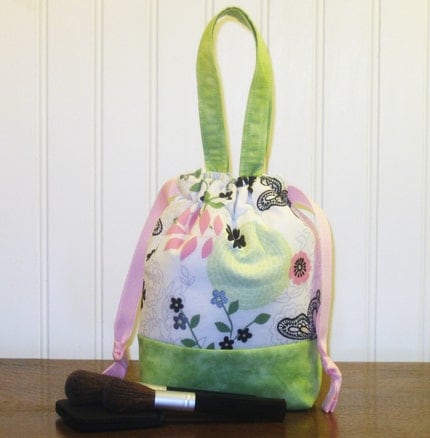
I featured By Your Side in my very first treasury, It's in the Bag. I first found her on Twitter. A great place to meet those who craft. I like her casual look and feel of her bags.  The travel bags I have to admit are one of  my favorites. They just look like the kind of bag where you can throw in a few things for a quick trip to the park or running errands.


In the market for a new handbag? She's got those too. I think The lil Miss M Handbag - Burnt Orange, Olive and Golden Yellow Tracy Porter Floral Print Lined with an Olive Tracy Porter Print seen below would be a great summer handbag!

You can also follow her on her blog and Facebook Fan page. You can join in the journey of her redoing her bathroom and other household projects. She also features other crafters of the handmade as well on her blog.  Who knows, it could be you next. But you'll have to keep tabs on her to find out!


Of special note. By Your Side has also generously participated in donating items for the Hearts for Haiti cause on Etsy.  Please be sure to check out her items!

http://www.etsy.com/shop/HeartsforHaiti
http://www.etsy.com/view_listing.php?listing_id=38756904
http://www.etsy.com/view_listing.php?listing_id=38757719

Saturday, March 13, 2010

Marketing Tip of the Week - Avatar Consistency

I know it's tempting to change your Twitter and Facebook avatars, but when you have a business profile, it's necessary to keep your avatar the same. The best solution is to keep your avatar as a logo. If it's important to change it up, then I suggest you create a personal profile that you can change to reflect your personality.  I for one recognize everyone on Twitter, Facebook and other social networking by their avatar. I have recently been running into the changing avatars for shops that I'm looking for and cannot find because the avatar has changed to the latest theme on Facebook or their pets latest pictures. I know, that's fun!  I'm happy to see them, but tell me about them instead.

I know the handmade community like correspondence on the personal side, and you still can by using a consistent avatar. You can post in your Facebook photos tab your latest dog's trick or you child's first steps.  Or blog about it. It makes for another example to draw people in and see all your latest products.  Your customers and potential customers don't get bored with your logo or avatar. It's how they recognize you. They grow to know it and expect to see it.  McDonald's golden arches do not change, ever and neither should your 'golden arches'.

Wednesday, June 24, 2009

Plurk VS Twitter

I know, I know, some of you are probably thinking, "Not ANOTHER social media site to keep up with!?!" But wait! Don't panic! Before you close this post thinking, "I just can't handle any more," I want to challenge you to at least read what I have to say, and THEN make your decision about wether Plurk might be a tool for you to use to grow your business. Ok?

www.plurk.com and www.twitter.com have a lot of similarites and a lot of differences. Similarities can be summed up as:

1. Both are Social Media Sites
2. Both provide you with a method to do "mini-blogging." IE - to share a short message about what's going on in your day.
3. Both have systems for finding and making "friends."
4. Both have systems for sending a direct or private message to an individual "friend."

Twitter has been around longer and is the one that I'm betting most of my readers are more familiar with. After all, even the stars are using twitter these days! I've been on twitter for awhile now, and I know many people who've found it very useful. I currently have 1,424 followers and I follow 1,377.

Now I know several people who've made sales that they can directly relate back to advertising on Twitter. I can say that I've gotten views on items, but no sales. I've built a few relationships, but with that many people feeding in to my twitter, building a relationship is hard!

When I first heard about Plurk my thought was, "Well isn't that just like Twitter? It's not like Twitter's really been that helpful for me..." I ignored the first few inventations I got to it, but then I noticed something. I was getting a LOT of invites for Plurk! So one day when I had some extra time I signed up...and fell in love pretty quickly.

Like Twitter, you post up short thoughts on Plurk. However, instead of having to go to your "replies" section to see if you've gotten any responses, Plurk creates a "thread" with each post that's put up so you and anyone else who's interested can follow the responses! This makes it much easier to form a connection and have a conversation with the people reading your plurks.

Plurk also updates you immediately when one of your friends puts up a new post or when someone replies. With Twitter you have to find and download a seperate program to get those features, but Plurk does it right there in your browser. I can't run the Twitter programs because I'm on a laptop and it slows down my processing speeds too much, but I can keep up with Plurk!

Now here's the kicker - I've only been on Plurk for a month or two (vs 8-10 months with Twitter) - and I've already had several sales as a result! Since all your replies to a post are right there and easy to view it's really easy to talk to potential customers. I've had several direct sales where I've posted about a new item and it's sold, and I've negotiated several custom orders via plurk.

Does that mean Twitter's all bad? Certainly not! Like I said, I know people who make sales from it! Plurk allows me to send all my posts over to Twitter so I still use my twitter. I check for responses through out the day and I still talk to people over there. I just vastly prefer Plurk!

If your interested in signing up for an account on plurk just follow this link: http://www.plurk.com/roseworksjewelry/invite

Friday, November 21, 2008

Welcome to the Twitterverse!

A couple weeks ago I stumbled upon www.twitter.com - I was hearing this buzz about it on www.etsy.com and I decided that I had to check it out! Now, I have a loooong list of sites that I need/want to check out, but for some reason I was so intriqued that I jumped right on it and checked it out.  I'm so glad I did! I love Twitter!

So what is Twitter all about? Twitter allows you to post updates, have conversations, and promote yourself, all in little "sound bites" of 140 characters or less.  It's like blogging and instant messaging got together and had a baby - that's twitter!

The main benefits that I see from Twitter are:

1. Builds exposure for your business.
2. Easy venue to create and build relationships.
3. Instant feedback when you have a question about an item or which direction you should go in.

Let me take those one by one. Building exposure for your business - You can browse through twitter for friends.  I started with a few people I knew, looked through their friends, and it snowballed from there! You can also search based on interests such as etsy, art, jewelry, pets, Moms, etc.  This means you can connect to the people that fit in with your world, and your marketing goals. It builds fast too! I have 202 followers, and other than my initial blitz of people I recognized, I haven't been searching for connections! I probably will at some point, but I love that I have the ear of 200 poeple and I don't put much effort into it!

Easy venue to create and build relationships - Do you ever find yourself on a social networking site and not having any clue what to say? Even I, someone who loves to talk, run across that problem from time to time! The great thing about twitter is that people will be posting up what their doing, their newest listings, newest blog posts, questions, and more; which gives you ample opportunity to find things to respond to! I've had fun growing closer to people I already knew, and I've definitely made some new friends and learned a lot in the short time I've been on Twitter!

Instant feedback when you have a question about an item or which direction you should go in - I haven't really done this yet, but I've responded to things a lot of other people have put up! It's fun to have a chance to give instant feedback to others, and I'm looking forward to having that outlet when I need it :)

I have a lot more to say about Twitter - but you'll have to wait for another post! I think it's a great promotions tool and I hope that my ideas, and the ideas of others I'm going to pull in, will be helpful! Have a great day :)